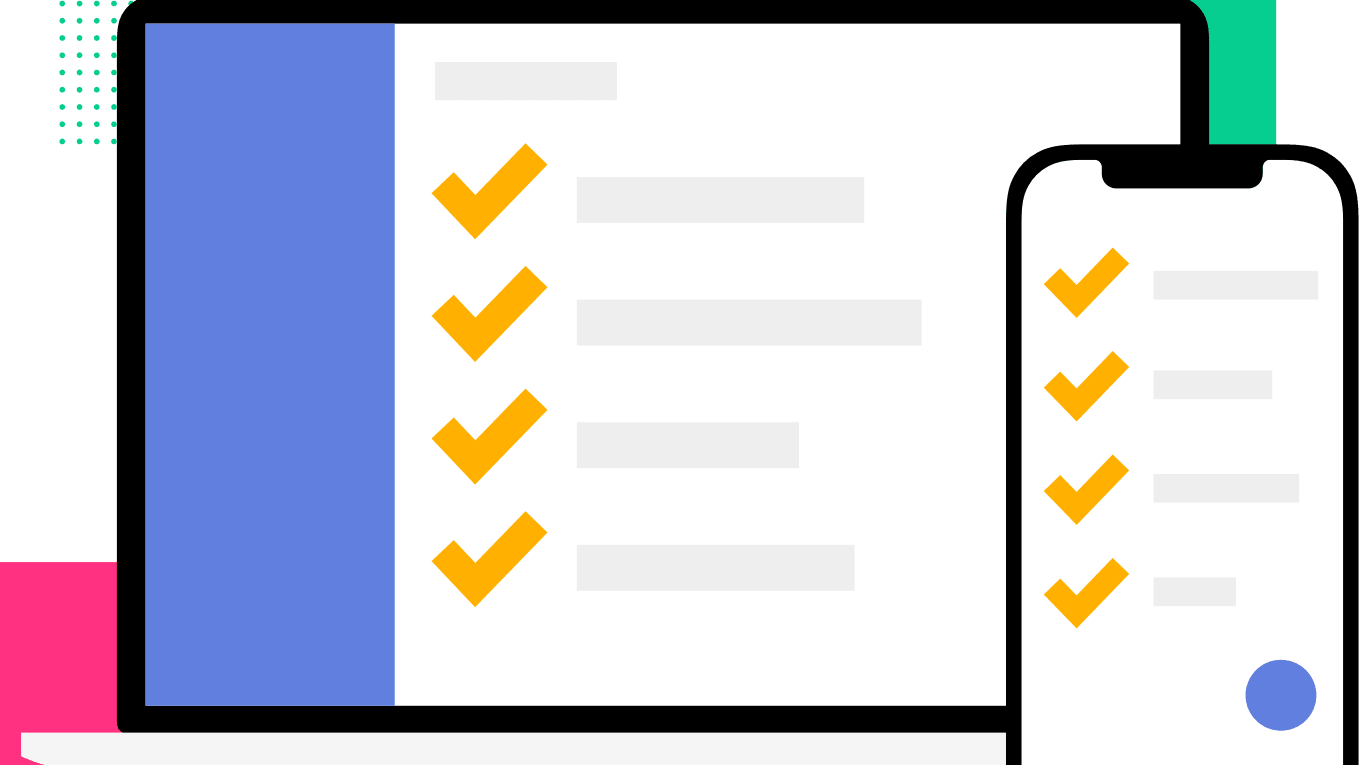
TickTick is a task management tool designed to increase productivity and provide a streamlined workflow. Ideal for students, professionals, or anyone seeking to organize their daily activities, TickTick offers a wide range of features tailored to meet individual needs.
Main Features
- Task Management: Facilitates the creation and organization of daily tasks.
- Calendar View: Offers clear visibility of tasks with integrated calendar.
- Folders, Lists & Tags: Allows users to categorize tasks for easy management.
- Shared Tasks: Promotes collaboration by sharing tasks with others.
- Reminders: Helps in timely task execution by enabling reminder setup.
- Recurring Tasks: Creates tasks that repeat according to your preferred schedule.
- Cross-Platform Sync: Keeps your tasks updated across various devices, both mobile and desktop.
Pricing
TickTick offers three different pricing packages:
Free
$0
per month
provides all the basic task management functionality at no cost.
- Up to 9 lists
- Up to 19 tasks per day
- 1 collaborator per list
- Basic task management features
Premium
$2.79
per month billed annually
unlocks advanced features such as themes, calendar subscription, and additional reminders.
- Up to 299 lists
- 999 tasks per list
- 19 collaborators per list
- Shared lists and tasks
Business
$3.99
per user per month billed annually
introduces administrative features like team billing and priority support.
- Up to 500 lists
- Unlimited tasks
- Unlimited collaborators
- All Premium features including admin console
Breakdown of Features within the Pricing Structure
Free Plan
- Up to 9 lists
- Up to 19 tasks per day
- 1 collaborator per list
- Basic task management features
Premium Plan
- Up to 299 lists
- 999 tasks per list
- 19 collaborators per list
- Themes and custom background
- Shared lists and tasks
- Summary View
Business Plan
- Up to 500 lists
- Unlimited tasks
- Unlimited collaborators
- All Premium features including admin console
- Team billing and priority support
Pros
- User Friendly: TickTick provides an intuitive and clean interface, making it easy to navigate and manage tasks.
- Multiple Platform Support: Whether using iOS, Android, Windows, Mac, or a browser-extension, TickTick works seamlessly across devices.
- Task Organization: List and tag features assist in the effective categorization of tasks, ensuring no task is overlooked.
- Collaboration Tools: Assign, share tasks, and collaborate with peers for increased work efficiency.
- Flexible Reminders: Tailored reminders and push notifications ensure timely completion of tasks.
Cons
- Limited Free Version: While a free version is available, access to key features is locked behind the premium paywall.
- Missing Time Tracking: Unlike some competitors, TickTick does not include a time tracking feature.
- Advanced Features in Premium: Features like calendar subscriptions, themes, and additional reminders are only available in the premium version.
- Limited Collaborators in Free Plan: The free plan allows only one collaborator per list.
- No Location-Based Reminders: The app does not support setting reminders based on location.
Mental Health
TickTick provides an effective tool for maintaining mental health by inducing control and order in daily activities. By organizing tasks, setting priorities and scheduling your day, it helps to reduce stress and anxiety. TickTick also offers an element of satisfaction from task completion, boosting mood and self-confidence. Thus, TickTick is not only a productivity tool, but also a means to promote mental wellbeing and a balanced, stress-free lifestyle.
Summary
TickTick is a comprehensive tool with features that cater to individuals and businesses alike. Its tiered pricing structure broadens its reach, ensuring users can access necessary features within their budget. TickTick is an essential tool in managing both professional and personal tasks efficiently, enhancing productivity and mental wellbeing.
The Tyranny of the Open Loop
There’s a low-grade hum of anxiety that most of us live with. It’s the gentle thrum of unfinished business, the mental browser tabs left open: “reply to that email,” “schedule dentist appointment,” “don’t forget to call mum,” “research that new project idea.” Psychologists call these “open loops,” and they are exhausting. Each one is a small drain on our cognitive resources, a tiny weight on our consciousness. For years, I’ve been on a quest for a digital tool that could not just list these loops, but help me close them, freeing up my mind to actually think and live.
I’ve tested dozens of apps, from minimalist checklists to monstrous project management suites. They all helped, to a degree. But none of them felt like a complete system. I still had a separate calendar for appointments, another app for habits, and a clunky timer for focused work. It was a disjointed digital life that, ironically, added its own layer of complexity.
Then, I spent a month with TickTick. And for the first time, the hum started to quiet down. I discovered that what I was looking for wasn’t just a to-do list, but a unified sanctuary for my mind: a place to offload the mental clutter and bring gentle, thoughtful structure to my days.
First Impressions: An App That Breathes
Opening TickTick for the first time feels calm. In a world of apps shouting for your attention, its interface is clean and unassuming. Adding a task is effortless. You type, you hit enter, and it’s there. A sense of immediate relief washes over you. That nagging thought, that open loop, is now safely captured.
But the magic is in the details. Type “Lunch with Sarah next Tuesday at 1 pm,” and TickTick doesn’t just record the text; it understands it. It automatically sets the due date and time, adding it to your agenda. This seamless, intelligent capture is the first sign that the app is designed to reduce friction, not add to it. It works with the way your brain thinks, making the act of unloading your mind feel natural and rewarding.
The Core of It All: A Task Manager That Actually Works
At its heart, TickTick is a phenomenally robust task manager. You have your lists, your due dates, and your priorities: the holy trinity of getting things done. But it’s the little things that elevate the experience. The gentle and deeply satisfying “tick” sound when you complete a task is a small but powerful dose of positive reinforcement.
You can add sub-tasks to break down larger projects, add comments for context, and attach files. It’s powerful enough for mildly complex work projects, but simple enough for a grocery list. This scalability is key; the tool adapts to the complexity of your life, not the other way around. It never feels like you’re using a sledgehammer to crack a nut, or a flimsy spoon to dig a foundation.
The Calendar Is King: Structuring Your Day, Protecting Your Peace
For me, the true breakthrough came when I discovered the integrated calendar view. This isn’t a tacked-on feature; it’s a fully-realised command centre for your time. With a simple drag-and-drop, I could pull tasks from my "Inbox" list and place them directly into time blocks on my day.
This practice, known as time-blocking, was transformative. Instead of facing a daunting, contextless list of tasks each morning, I woke up to a beautifully structured day. I could see not just what I had to do, but when I had decided to do it.
This feature became my greatest ally in protecting my mental health. I started blocking out “deep work” sessions, but I also began scheduling “do nothing” time, “go for a walk” time, and “read a book” time. By putting these restorative activities on my calendar, they became as non-negotiable as a work meeting. The calendar stopped being a list of obligations and became a visual representation of a balanced, intentional life.
Building a Better Me, One Habit at a Time
Most of us know the habits we should be building. We want to meditate, drink more water, exercise, or journal. The problem is one of momentum and memory. Having a separate app for this often feels disconnected from the rest of our lives.
TickTick’s built-in habit tracker solves this beautifully. Alongside my tasks for the day, I see a small prompt: “Did you meditate today?” Checking it off provides a little burst of achievement and adds to a growing streak. I started small, with just two habits: a ten-minute morning stretch and a daily mindfulness exercise.
Seeing those habits nestled among my work and personal tasks reinforced a powerful idea: my well-being is not a separate, secondary project. It is an integral part of my day, as important as any client deadline. The app’s design subtly encourages this holistic view of productivity: one where personal growth and professional achievement are intertwined.
Finding Flow with the Pomodoro Timer
Like many, I struggle with the siren song of digital distractions. An hour of focused work can easily devolve into a scattered mess of checking emails, glancing at news, and "just quickly looking something up."
The built-in Pomodoro timer in TickTick became my shield. When I start a task, I can click a small "play" button to begin a 25-minute focus session. During this time, a minimalist timer is on screen, and I can even play calming white noise, my personal favourite is the gentle sound of rain.
Knowing the timer is running creates a mental boundary. It’s a gentle commitment: for this brief period, I will only do this one thing. It’s a surprisingly effective way to short-circuit the brain’s craving for distraction. By breaking my day into these focused sprints, I not only got more done, but I ended my workdays feeling less frazzled and more accomplished.
Taming the Chaos with Tags and Filters
As you start to trust TickTick with more and more of your life, it can become quite full. This is where its powerful organisational system comes in. The most useful feature for me has been tags.
I created a simple system. Some tags were for contexts, like #office, #home, or #errands. Others were for the energy level required, like #deep-work for challenging tasks and #quick-win for things I could do in under five minutes.
Inspired by a tip from a fellow user, I also created time-horizon tags: #1-month, #6-months, and #1-year. This was brilliant for long-term goals and ideas that didn’t have a specific due date. It kept them out of my daily view but allowed me to review them periodically, preventing good ideas from falling through the cracks. These tags, combined with smart lists that can automatically filter your tasks based on rules you set, allow you to create a personalised system that shows you only what you need to see, exactly when you need to see it.
My Brain Dump: How I Used TickTick for My Mental Well-being
Last Tuesday was a perfect storm. A major project deadline was moved up, a personal appointment was unexpectedly canceled, and my car started making a noise that sounded expensive. I could feel the familiar hum of anxiety escalating into a roar. My mind was racing, and I couldn’t focus on anything.
This is where TickTick truly earned its place on my home screen. I stopped everything, opened the app on my phone, and performed what I now call a "brain dump." For fifteen minutes, I typed everything that was taking up mental space into the TickTick inbox, without any attempt to organise it.
- Finish the marketing report.
- Find a new mechanic.
- Worry about the project feedback.
- Reschedule the dental appointment.
- Figure out what to make for dinner for the next three days.
- That weird email from accounting.
It was a chaotic, anxious mess. But once it was all out of my head and on the screen, it was no longer a formless cloud of dread. It was a list. And a list is something you can work with.
One by one, I went through the items. "Finish report" was dragged into a time block on my calendar for that afternoon. "Find mechanic" was given a due date for the next day. "Worry about feedback" wasn't a task, so I rephrased it as "Draft three potential responses to feedback" and scheduled it for Friday, freeing myself from worrying about it until then.
Within half an hour, the storm in my mind had passed. The chaos was contained, organised, and scheduled. I knew that everything had a place and a time. The profound sense of calm that followed was something no simple to-do list had ever given me. TickTick wasn't just holding my tasks; it was holding my anxiety.
What Could Be Better?
No tool is perfect. For a new user, the sheer number of features in TickTick could feel a little overwhelming. The key is to start simple: with a basic inbox list, and only explore features like smart lists and advanced calendar settings as you feel the need for them.
As more and more features are added, the user experience begins to struggle, and I find that the task template is hidden so deep in the settings that I could have probably rewritten it manually. Another issue I have is with the habit tracker; it is great for adding habits that you want to maintain, like good habits, but let's say you want to give something up or reduce your intake - then the experience doesn't feel quite as satisfying as when you are trying to pick up a new healthy habit.
While the app is a great value, some of its most powerful features, like the full calendar view and custom smart lists, are part of the premium subscription. The free version is very generous, but to unlock the app’s full potential as a life organiser, the subscription feels almost essential.
Conclusion: Will It Stay on My Home Screen?
Absolutely. Without a doubt.
TickTick has done more than just make me more productive. It has made me feel more in control, less anxious, and more intentional with my time and energy. It successfully bridges the gap between task management and mindful living. It understands that the goal isn't just to get more things done, but to create the mental space to live a better, more present life.
If you are looking for a simple app to jot down a few reminders, TickTick might be more than you need. But if you feel the weight of a hundred open loops, if you crave a unified system to bring order to the wonderful chaos of your work, your goals, and your life: then I cannot recommend it highly enough. It’s not just an app I’ll continue to use; it’s a tool I’ll continue to be grateful for.